Leandro_R_Combinato 1 de out. de 2007
Ola pessoal consegui fazer, funcionou certinho!!! Entaoo fiz este tutorial de Xdoclet, espero ter ajudado vcs… estou procurando emprego na area, se alguem souber me avisa!
< ? xml version = “ 1.0 ” encoding = “ UTF - 8 ”? >
< ! -- You may freely edit this file . See commented blocks below for -->
< ! -- some examples of how to customize the build . -->
< ! -- ( If you delete it and reopen the project it will be recreated . ) -->
< project name = “ WebHome ” default = “ hbm ” basedir = "." >
< description > Builds , tests , and runs the project WebHome .</ description >
< import file = “ nbproject / build - impl . xml ” />
< !–
exist several targets which are by default empty and which can be
used for execution of your tasks. These targets are usually executed
before and after some main targets. They are:
-pre-init: called before initialization of project properties
-post-init: called after initialization of project properties
-pre-compile: called before javac compilation
-post-compile: called after javac compilation
-pre-compile-single: called before javac compilation of single file
-post-compile-single: called after javac compilation of single file
-pre-compile-test: called before javac compilation of JUnit tests
-post-compile-test: called after javac compilation of JUnit tests
-pre-compile-test-single: called before javac compilation of single JUnit test
-post-compile-test-single: called after javac compilation of single JUunit test
-pre-dist: called before jar building
-post-dist: called after jar building
-post-clean: called after cleaning build products
Example of pluging an obfuscator after the compilation could look like
< target name="post-compile">
< obfuscate>
< fileset dir="${ build . classes . dir } "/>
< /obfuscate>
< /target>
For list of available properties check the imported
nbproject/build-impl.xml file.
Other way how to customize the build is by overriding existing main targets.
The target of interest are:
init-macrodef-javac: defines macro for javac compilation
init-macrodef-junit: defines macro for junit execution
init-macrodef-debug: defines macro for class debugging
do-dist: jar archive building
run: execution of project
javadoc-build: javadoc generation
Example of overriding the target for project execution could look like
< target name="run" depends="< PROJNAME> -impl.jar">
< exec dir="bin" executable="launcher.exe">
< arg file="${ dist . jar } "/>
< /exec>
< /target>
Notice that overridden target depends on jar target and not only on
compile target as regular run target does. Again, for list of available
properties which you can use check the target you are overriding in
nbproject/build-impl.xml file.
-->
< echo> netbeans X hibernate X xdoclet X build < /echo>
< property name="xdoclet2.dir"
location="C:/Arquivos de programas/netbeans-5.0\workspace/WebHome/web/WEB-INF/xdoclet-2.0.3" />
< property name="hibernate3.dir"
location="C:/Arquivos de programas/netbeans-5.0/workspace/WebHome/web/WEB-INF/hibernate-3.0.5" />
< property name="outhbm.dir"
location="C:/Arquivos de programas/netbeans-5.0/workspace/WebHome/hibernate/hbm" />
< target name="prepare">
< delete dir="${ outhbm . dir } " />
< mkdir dir="${ outhbm . dir } " />
< /target>
< target name="hbm" depends="prepare" >
< taskdef name="hibernatedoclet" classname="org.xdoclet.ant.XDocletTask">
< classpath>
< fileset dir="${ xdoclet2 . dir } " includes="*.jar" />
< fileset dir="${ hibernate3 . dir } " includes="*.jar" />
< /classpath>
< /taskdef>
< hibernatedoclet>
< fileset dir="src" includes="**/*.java" />
< component version="3.0" destdir="${ outhbm . dir } "
classname="org.xdoclet.plugin.hibernate.HibernateMappingPlugin" />
< /hibernatedoclet>
< /target>
</project>
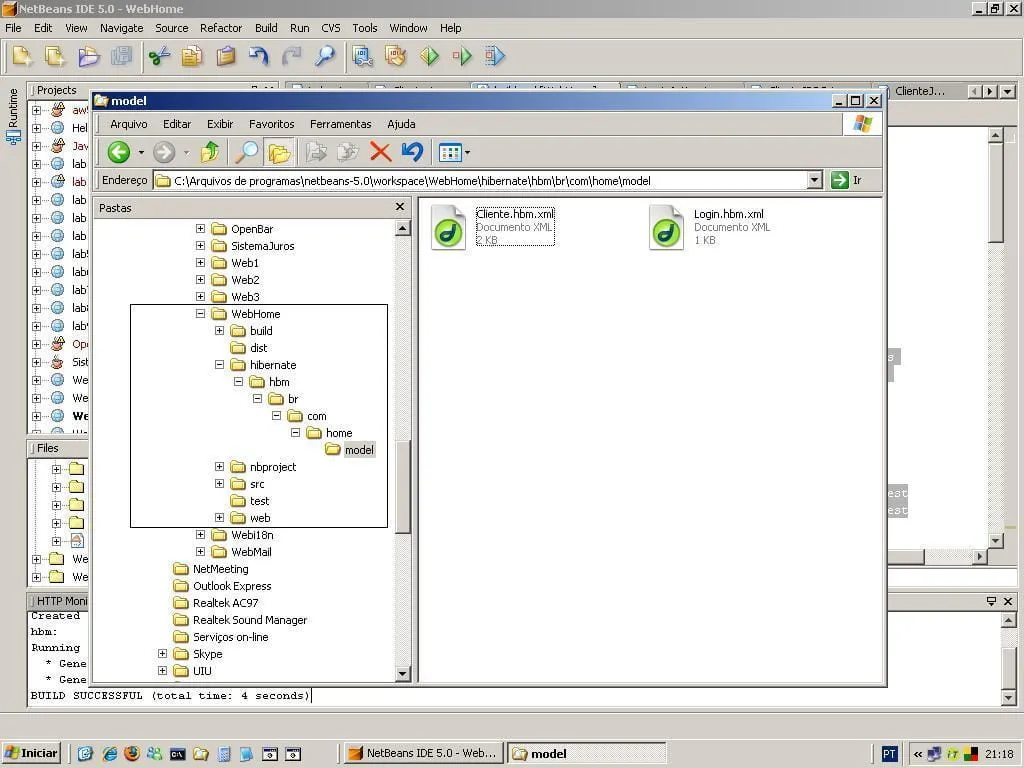
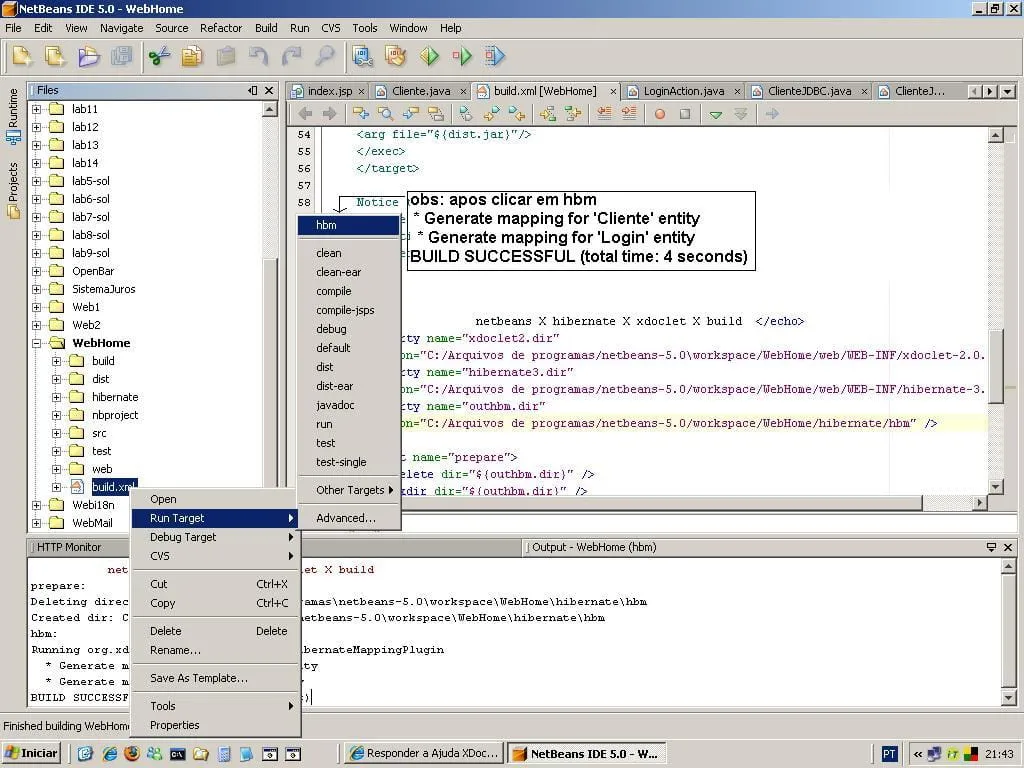
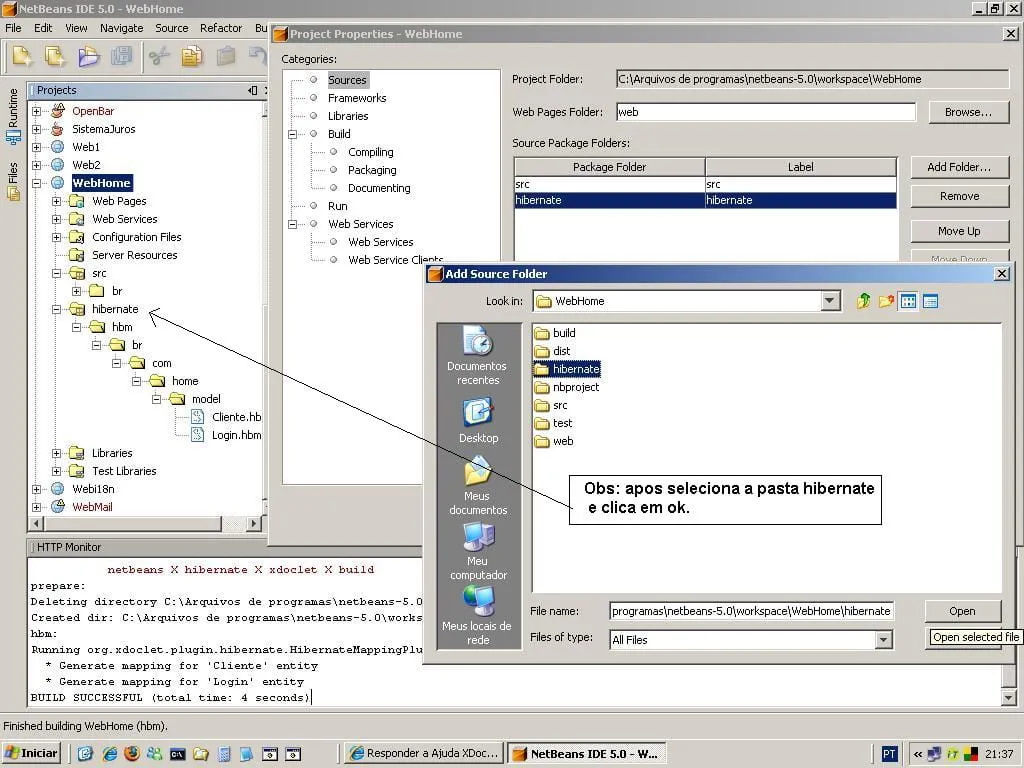
Com essa imagem fica facinhoo galera!!!
[img]