Olá:
Eu tenho o seguinte código HTML:
<!DOCTYPE HTML PUBLIC "-//W3C//DTD HTML 4.01//EN" "http://www.w3.org/TR/html4/strict.dtd">
<html>
  <head>
    <title>Teste de Tabela</title>
  </head>
  <body>
    <table align="center" border="1" summary="Teste de Scroll">
      <tr>
        <th>Coluna 1</th>
        <th>Coluna 2</th>
      </tr>
      <tbody style="overflow-y: auto; overflow-x: hidden; height: 100px" >
        <tr>
            <td>11</td>
            <td>12</td>
        </tr>
        <tr>
            <td>21</td>
            <td>22</td>
        </tr>
        <tr>
            <td>31</td>
            <td>32</td>
        </tr>
        <tr>
            <td>41</td>
            <td>42</td>
        </tr>
        <tr>
            <td>51</td>
            <td>52</td>
        </tr>
        <tr>
            <td>61</td>
            <td>62</td>
        </tr>
        <tr>
            <td>71</td>
            <td>72</td>
        </tr>
      </tbody>
    </table>
  </body>
</html>
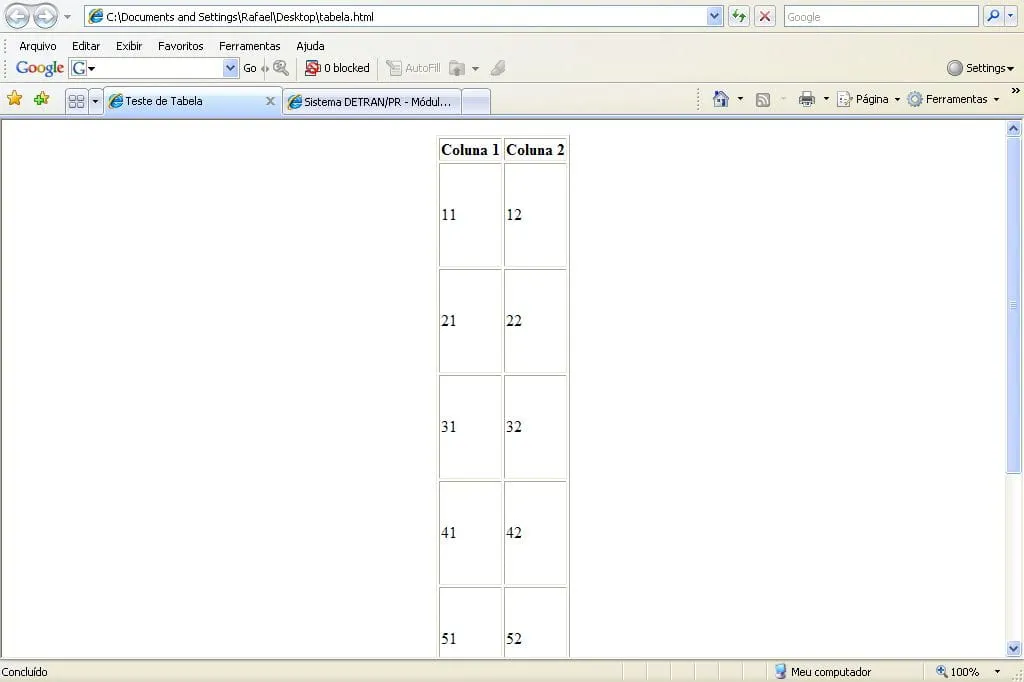
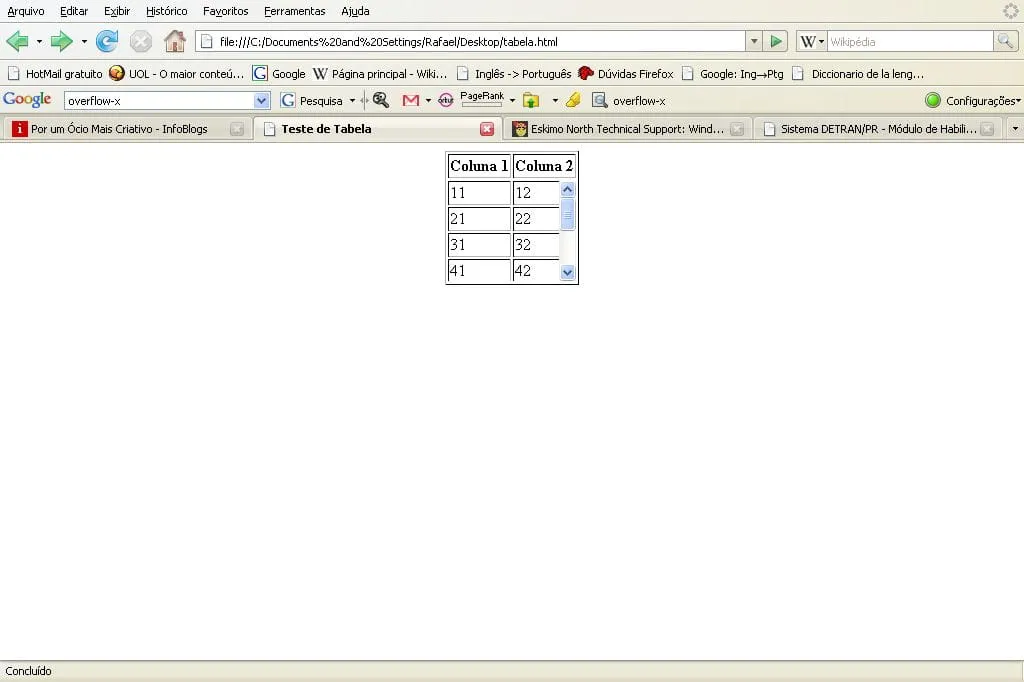
No Firefox a tabela aparece como espero: O cabeçalho fixo e scroll para as demais linhas. Entretanto no Internet Explorer isso não acontece: As linhas “crescem”, como se quisessem ficar com a altura determinada para o
. Alguém sabe como reproduzir o efeito do Firefox no IE?Grato,