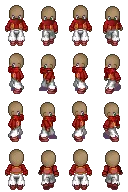
package jgf.imaging;

import java.awt.AlphaComposite;
import java.awt.Graphics2D;
import java.awt.Transparency;
import java.awt.geom.AffineTransform;
import java.awt.image.BufferedImage;
import java.io.IOException;
import java.net.URL;

import javax.imageio.ImageIO;

import jgf.core.ScreenManager;

/**
 * A singleton class that implements a set of common image operations. All
 * operations in this class tries to generate images that are more likely to be
 * accelerated by the graphical hardware. This is done by creating the result
 * images compatible with the users graphics context.
 *
 * @author Mendonça, Vinícius Godoy de
 */
public class ImageWorker
{
	private static ImageWorker myInstance = null;

	private ImageWorker()
	{
	}

	public static ImageWorker getInstance()
	{
		if (myInstance == null)
			myInstance = new ImageWorker();

		return myInstance;
	}

	/**
	 * Returns a copy of the given BufferedImage with a data layout and color
	 * model compatible with the current GraphicsConfiguration. This method has
	 * nothing to do with memory-mapping a device. The returned BufferedImage
	 * has a layout and color model that is closest to this native device
	 * configuration and can therefore be optimally blitted to this device.
	 *
	 * @param sourceImage The image that will be made compatible
	 * @return The compatible image that is a copy of the sourceImage.
	 */
	public BufferedImage makeCompatible(BufferedImage sourceImage)
	{
		BufferedImage image = ScreenManager.getInstance().createCompatibleImage(
				sourceImage.getWidth(), sourceImage.getHeight(),
				sourceImage.getTransparency());

		image.createGraphics().drawImage(sourceImage, 0, 0, null);

		return image;
	}

	/**
	 * Loads the given image from the specified resource. The image will be
	 * compatible with the current graphics configuration.
	 *
	 * @param resource An URL with a resource.
	 * @return The loaded image.
	 * @throws IOException If the image could not be loaded.
	 * @throws IllegalArgumentException If the resource url is null or cannot be
	 *             loaded.
	 */
	public BufferedImage loadFromResource(URL resource)
	{
		try
		{
			return makeCompatible(ImageIO.read(resource));
		} catch (IOException e)
		{
			throw new IllegalArgumentException("Invalid resource", e);
		}
	}

	/**
	 * Loads the given image from the specified resource. The image will be
	 * compatible with the current graphics configuration.
	 *
	 * @param resource A string containing the resource.
	 * @return The loaded image.
	 * @throws IOException If the image could not be loaded.
	 * @throws IllegalArgumentException If the resource could not be found.
	 */
	public BufferedImage loadFromResource(String resource)
	{
		URL resourceUrl = this.getClass().getResource(resource);

		if (resourceUrl == null)
			throw new IllegalArgumentException("Resource '" + resource
					+ " not found");

		return loadFromResource(resourceUrl);
	}

	/**
	 * Split the given image into several smaller equally sized parts. The parts
	 * are numbered sequentially from left to right and top to down.
	 *
	 * @param img The image to be splited.
	 * @param columns Number of columns to split the original image.
	 * @param lines Number of lines to split the original image
	 * @return An array, containing the splited result.
	 * @throws IllegalArgumentException If the image is null or if columns or
	 *             lines are equal or less than zero.
	 */
	public BufferedImage[] splitImage(BufferedImage img, int columns, int lines)
	{
		if (img == null)
			throw new IllegalArgumentException(
					"You must provide an image to split!");

		if (columns < 0 || lines < 0)
			throw new IllegalArgumentException(
					"Columns or lines must be greater than zero!");

		if (columns == 1 && lines == 1)
			return new BufferedImage[]
			{ img };

		BufferedImage[] result = new BufferedImage[columns * lines];

		int width = img.getWidth() / columns;
		int height = img.getHeight() / lines;

		int count = 0;
		for (int col = 0; col < columns; col++)
			for (int lin = 0; lin < lines; lin++)
			{
				BufferedImage copy = ScreenManager.getInstance().createCompatibleImage(
						width, height, img.getTransparency());
				Graphics2D surface = copy.createGraphics();
				surface.drawImage(img, 0, 0, width, height, width * col, height
						* lin, (width * col) + width, (height * lin) + height,
						null);
				surface.dispose();
				result[count++] = copy;
			}

		return result;
	}

	/**
	 * Split the given image into several smaller equally sized parts. The parts
	 * are numbered sequentially from left to right.
	 *
	 * @param img The image to be splited.
	 * @param columns Number of columns to split the original image.
	 * @return An array, containing the splited result.
	 * @throws IllegalArgumentException If the image is null or if columns or
	 *             lines are equal or less than zero.
	 */
	public BufferedImage[] splitImage(BufferedImage img, int columns)
	{
		return splitImage(img, columns, 1);
	}

	/**
	 * Resize the given image.
	 *
	 * @param source Image to be resized.
	 * @param newWidth The new image width.
	 * @param newHeight The new image height.
	 * @return The resized image.
	 */
	public BufferedImage resizeImage(BufferedImage source, int newWidth,
			int newHeight)
	{
		return resizeAndFlip(source, newWidth, newHeight, false, false);
	}

	/**
	 * Flips the given image.
	 *
	 * @param source The image to flip
	 * @param vertical If true, flips the image vertically.
	 * @param horizontal If true, flips the image horizontally.
	 * @return The flipped image.
	 */
	public BufferedImage flipImage(BufferedImage source, boolean vertical,
			boolean horizontal)
	{
		return resizeAndFlip(source, source.getWidth(), source.getHeight(),
				vertical, horizontal);
	}

	/**
	 * Resize and flips the given image in a single operation.
	 *
	 * @param source The image to resize and flip
	 * @param newWidth New width in pixels
	 * @param newHeight New height in pixels
	 * @param flipVertical If true, flips the image vertically.
	 * @param flipHorizontal If true, flips the image horizontally.
	 * @return The resized and flipped image.
	 */
	public BufferedImage resizeAndFlip(BufferedImage source, int newWidth,
			int newHeight, boolean flipVertical, boolean flipHorizontal)
	{
		if (source == null)
			throw new IllegalArgumentException("Source cannot be null!");

		if (newWidth < 1 || newHeight < 1)
			throw new IllegalArgumentException("Invalid dimensions!");

		// No operation to make
		if (newWidth == source.getWidth() && newHeight == source.getHeight()
				&& !flipVertical && !flipHorizontal)
			return source;

		BufferedImage copy = ScreenManager.getInstance().createCompatibleImage(
				newWidth, newHeight, source.getTransparency());

		Graphics2D surface = copy.createGraphics();

		if (flipHorizontal && flipVertical)
			surface.drawImage(source, newWidth, newHeight, 0, 0, 0, 0,
					source.getWidth(), source.getHeight(), null);
		else if (flipHorizontal)
			surface.drawImage(source, 0, newHeight, newWidth, 0, 0, 0,
					source.getWidth(), source.getHeight(), null);
		else if (flipVertical)
			surface.drawImage(source, newWidth, 0, 0, newHeight, 0, 0,
					source.getWidth(), source.getHeight(), null);
		else
			surface.drawImage(source, 0, 0, newWidth, newHeight, null);

		surface.dispose();

		return copy;
	}

	/**
	 * Rotate the image around it's center. Use the given angle in degrees.
	 *
	 * @param source The image to rotate.
	 * @param angle Angle of the rotation
	 * @return The rotated image.
	 */
	public BufferedImage rotateImage(BufferedImage source, double angle)
	{
		if (source == null)
			throw new IllegalArgumentException("Source cannot be null!");

		BufferedImage dest = ScreenManager.getInstance().createCompatibleImage(
				source.getWidth(), source.getHeight(), source.getTransparency());
		Graphics2D surface = dest.createGraphics();

		AffineTransform originalTransform = surface.getTransform();

		// Rotate the image around it's center
		AffineTransform rotation = new AffineTransform();

		rotation.rotate(angle, source.getWidth() / 2,
				source.getHeight() / 2);
		surface.transform(rotation);

		surface.drawImage(source, 0, 0, null);

		surface.setTransform(originalTransform);
		surface.dispose();

		return dest;
	}

	public BufferedImage changeAlpha(BufferedImage image, float alpha)
	{
		BufferedImage other = ScreenManager.getInstance().createCompatibleImage(
				image.getWidth(), image.getHeight(), Transparency.TRANSLUCENT);

		Graphics2D g2d = other.createGraphics();
		g2d.setComposite(AlphaComposite.getInstance(AlphaComposite.SRC_OVER,
				alpha));
		g2d.drawImage(image, 0, 0, null);
		g2d.dispose();

		return other;
	}
}