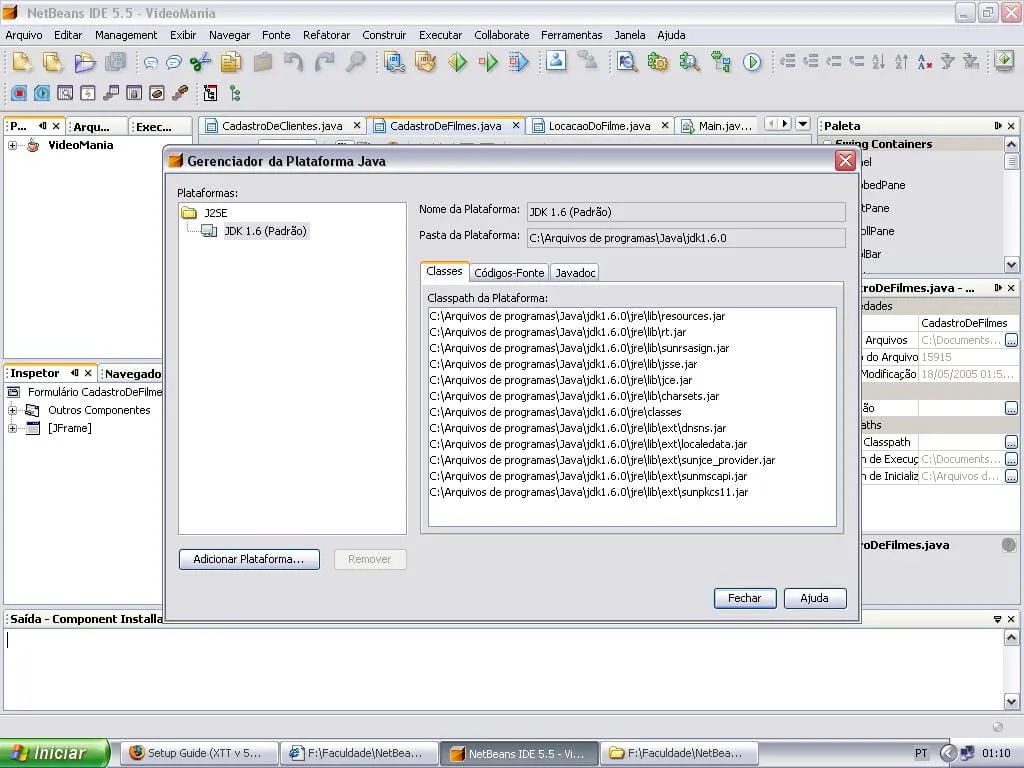
seguinte…
tenho o jdk1.6.0 instalado na maquina e todos as outras ferramentas, blueJ, Gel, Jcreator funcionam…
o NetBeans qdo aberto não da opção de criar os projetos, não abre os projetos ja criados, etc…
aparece esta msg:
GUI Form Example Descriptions
This document is a quick overview of Java GUI Form samples built with NetBeans
GUI Builder. The sample forms are provided as a means of introducing you to the
GUI Builder’s features while familiarizing yourself with the type of GUIs
commonly built by developers.
To open an example form in the GUI Builder:
-
In the IDE’s Projects window, navigate to the examples package node within the
Source Packages directory. -
Double-click the node of the sample form you want to view.
The IDE launches the GUI Builder and displays the chosen form.
Contact Editor
This complex form is similar to Windows dialogs typically used to display and
edit database information. The example illustrates the full range of GUI Builder
features, including alignment, anchoring, sizing, indentation, and runtime
auto-resizing behavior. To view a detailed tutorial including flash
demonstrations showing how to build this form, copy and paste the following link
into your web browser http://netbeans.org/kb/50/quickstart-gui.html.
Antenna Preferences
This example illustrates a type of table-based form commonly used to display
related information in visually coherent groups. The GUI Builder’s advanced
alignment features enable you to group and size non-adjacent components (such as
labels, textfields, and buttons) consistently without the need to merge cells
manually. To view a flash demonstration showing how to build this form, copy and
paste the following link into your web browser
http://netbeans.org/kb/50/gui_sample_project/antenna_form.html.
Find
This simple form illustrates a straight-forward layout often used in various
applications requiring basic search functionality. The GUI Builder’s alignment
and sizing features enable you to quickly construct such forms while ensuring
that they localize predictably. To view a flash demonstration showing how to
build this form, copy and paste the following link into your web browser
http://netbeans.org/kb/50/gui_sample_project/find_form.html.
Se alguem souber algo…
mto obrigado…
Obs: ja reinstalei o netbeans, o java e nd!