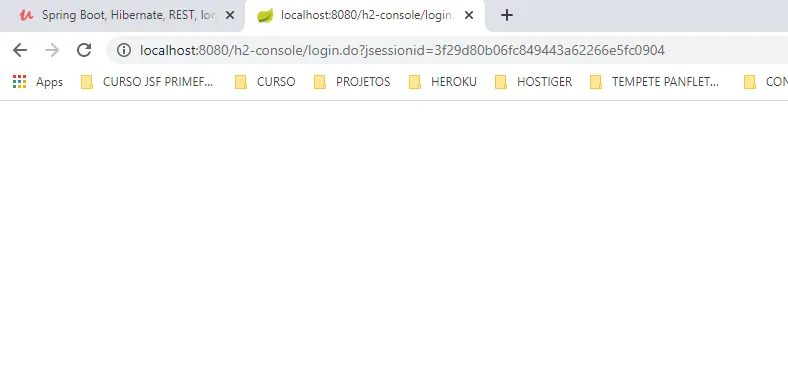
Ola, criei a minha classe de configuração do spring security, mas ao adicionar o filtro de autorização o meu acesso ao h2-console foi perdido:
Gostaria de saber se esta faltando alguma configurção para liberar o h2-console?
@Override
protected void configure(HttpSecurity http) throws Exception{
if(Arrays.asList(env.getActiveProfiles()).contains("test")){
http.headers().frameOptions().disable();
}
http.cors().and().csrf().disable();
http.authorizeRequests()
.antMatchers(HttpMethod.GET, PUBLIC_MATCHERS_GET).permitAll()
.antMatchers(PUBLIC_MATCHERS).permitAll()
.anyRequest().authenticated();
http.addFilter(new JWTAuthenticationFilter(authenticationManager(), jwtUtil));
http.addFilter(new JWTAuthorizationFilter(authenticationManager(), jwtUtil, userDetailsService));
http.sessionManagement().sessionCreationPolicy(SessionCreationPolicy.STATELESS);
}
Por padrão, quando o spring security eh adicionado ao projeto, ele bloqueia tudo. Com isso, vc deve configurar recursos que não precisam de segurança.
Alguns desses PUBLIC_MATCHERS_GET ou PUBLIC_MATCHERS estão considerando o h2-console ?
1 curtida
Lucas, obrigado por responder.
Sim, veja:
private static final String[] PUBLIC_MATCHERS = {
"/h2-console/**"
};
E depois no metodo configure eu permito tudo
http.authorizeRequests().antMatchers(PUBLIC_MATCHERS).permitAll();
E depois adiciono o filtro de autorização, quando adiciono fico sem acesso:
http.addFilter(new JWTAuthorizationFilter(authenticationManager(), jwtUtil, userDetailsService));
Tenta colocar essa parte:
http.authorizeRequests()
.antMatchers(HttpMethod.GET, PUBLIC_MATCHERS_GET).permitAll()
.antMatchers(PUBLIC_MATCHERS).permitAll()
.anyRequest().authenticated();
após os filtros (para teste). Talvez a ordem faça alguma diferença.
Alterei a ordem mais nada:
@Override
protected void configure(HttpSecurity http) throws Exception{
if(Arrays.asList(env.getActiveProfiles()).contains("test")){
http.headers().frameOptions().disable();
}
http.cors().and().csrf().disable();
http.addFilter(new JWTAuthenticationFilter(authenticationManager(), jwtUtil));
http.addFilter(new JWTAuthorizationFilter(authenticationManager(), jwtUtil, userDetailsService));
http.sessionManagement().sessionCreationPolicy(SessionCreationPolicy.STATELESS);
http.authorizeRequests()
.antMatchers(HttpMethod.GET, PUBLIC_MATCHERS_GET).permitAll()
.antMatchers(PUBLIC_MATCHERS).permitAll()
.anyRequest().authenticated();
}
Eu digo assim:
http.addFilter(new JWTAuthenticationFilter(authenticationManager(), jwtUtil));
http.addFilter(new JWTAuthorizationFilter(authenticationManager(), jwtUtil, userDetailsService));
http.authorizeRequests()
.antMatchers(HttpMethod.GET, PUBLIC_MATCHERS_GET).permitAll()
.antMatchers(PUBLIC_MATCHERS).permitAll()
.anyRequest().authenticated();
Outra coisa eh tentar fazer tudo num único builder (usando o and).
A desculpa editei a resposta, fiz conforme me passou, colocando o http.authorizeRequests() depois dos filtros, so não sei como fazer em um único builder.
Dessa forma não deu certo.
Com faço para fazer somente em um builder?
Resolvido.
Na classe JWTAuthorizationFilter dentro do método doFilterInternal, eu coloquei a chamada do metodo chain.doFilter(request, response); dentro do if errado.

@Override
protected void doFilterInternal ( HttpServletRequest request, HttpServletResponse response, FilterChain chain) throws IOException, ServletException {
String header = request.getHeader("Authorization");
if(header != null && header.startsWith("Bearer ")) {
UsernamePasswordAuthenticationToken auth = getAuthentication(header);
// UsernamePasswordAuthenticationToken auth = getAuthentication(header.substring(7));
if(auth != null) {
SecurityContextHolder.getContext().setAuthentication(auth);
}
**//Tinha colocado o metodo aqui**
}
chain.doFilter(request, response);
}
1 curtida