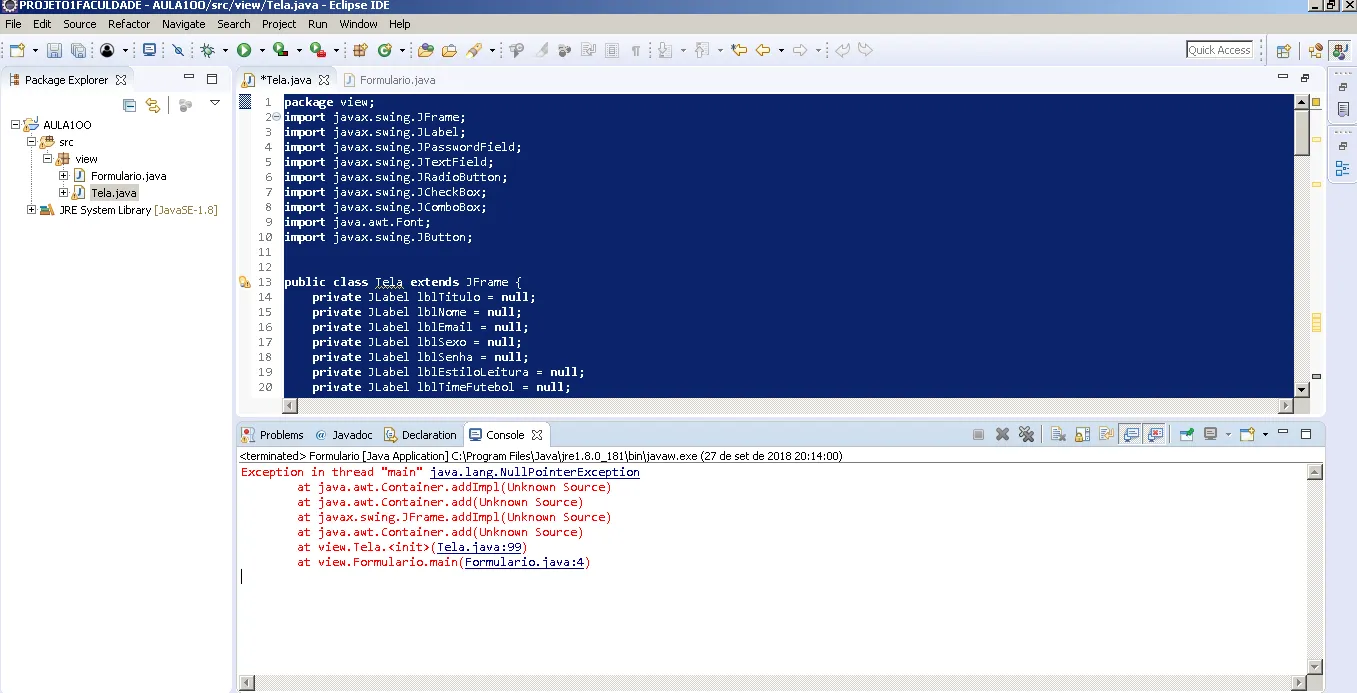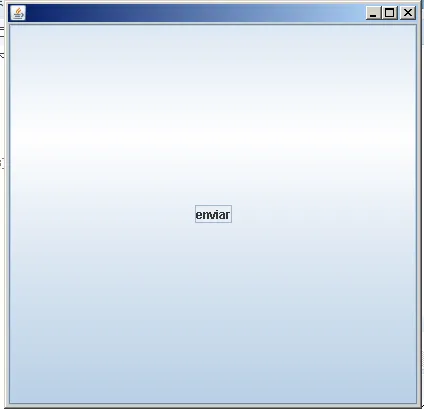
Estou tendo uma aula da facul de GUI, fiz tudo igual, estou usando o Eclipse, mas quando vou executar não roda…

Código:

package view;

import javax.swing.JFrame;

import javax.swing.JLabel;

import javax.swing.JPasswordField;

import javax.swing.JTextField;

import javax.swing.JRadioButton;

import javax.swing.JCheckBox;

import javax.swing.JComboBox;

import java.awt.Font;

import javax.swing.JButton;
public class Tela extends JFrame {

private JLabel lblTitulo = null;

private JLabel lblNome = null;

private JLabel lblEmail = null;

private JLabel lblSexo = null;

private JLabel lblSenha = null;

private JLabel lblEstiloLeitura = null;

private JLabel lblTimeFutebol = null;
private JTextField txtEmail = null;
private JTextField txtNome = null;
private JPasswordField pswSenha = null;

private JRadioButton rdbMasculino = null;
private JRadioButton rdbFeminino = null;

private JCheckBox chkEducacao = null;
private JCheckBox chkEsportes = null;
private JCheckBox chkCulinaria = null;

private JComboBox jComboBox1 = null;

private JButton btnEnviar = null;


public Tela() {

	setDefaultCloseOperation(JFrame.EXIT_ON_CLOSE);
	setSize(418,409);
	setLocation(0,23);

	lblTitulo = new JLabel("Cadastro de Clientes");
	lblTitulo.setLocation(118,6);
	lblTitulo.setSize(154,23);
	lblTitulo.setFont(new Font("Calibri", Font.BOLD, 18));

	lblNome = new JLabel("Nome:");
	lblNome.setLocation(103,52);
	lblNome.setSize(41,16);

	txtNome = new JTextField(10);
	txtNome.setLocation(150,46);
	txtNome.setSize(123,28);

	txtEmail = new JTextField(10);
	txtEmail.setLocation(150,86);
	txtEmail.setSize(123,28);

	lblSenha = new JLabel("Senha");
	lblSenha.setBounds(103,126,41,16);

	pswSenha = new JPasswordField();
	pswSenha.setBounds(150,120,123,28);


	lblSexo = new JLabel("Sexo:");
	lblSexo.setBounds(110,175,34,16);

	rdbMasculino = new JRadioButton ("Masculino");
	rdbMasculino.setBounds(150,160,96,23);

	rdbFeminino = new JRadioButton("Feminino");
	rdbFeminino.setBounds(150,195,90,23);

	lblEstiloLeitura = new JLabel("Estilo de leitura:");
	lblEstiloLeitura.setBounds(39,233,105,16);

	chkEsportes = new JCheckBox("Esportes");
	chkEsportes.setBounds(150,229,86,23);

	chkEducacao = new JCheckBox("Educacao");
	chkEducacao.setBounds(150,258,91,23);

	chkCulinaria = new JCheckBox ("Culinaria");
	chkCulinaria.setBounds(150,287,88,23);

	btnEnviar = new JButton("enviar");
	btnEnviar.setBounds(281,352,77,29);

	jComboBox1 = new JComboBox();
	jComboBox1.setBounds(150,322,102,27);
	jComboBox1.addItem("Vitoria");
	jComboBox1.addItem("Sao paulo");
	jComboBox1.addItem("Botafogo");
	jComboBox1.addItem("Pedreira");
	jComboBox1.addItem("Flamengo");

	//adicionando os componentes a tela
	add(lblTitulo);
	add(lblNome);
	add(txtNome);
	add(txtEmail);
	add(lblEmail);
	add(lblSenha);
	add(pswSenha);
	add(lblSexo);
	add(rdbMasculino);
	add(rdbFeminino);
	add(lblEstiloLeitura);
	add(chkEsportes);
	add(chkEducacao);
	add(chkCulinaria);
	add(lblTimeFutebol);
	add(jComboBox1);
	add(btnEnviar);

}
}
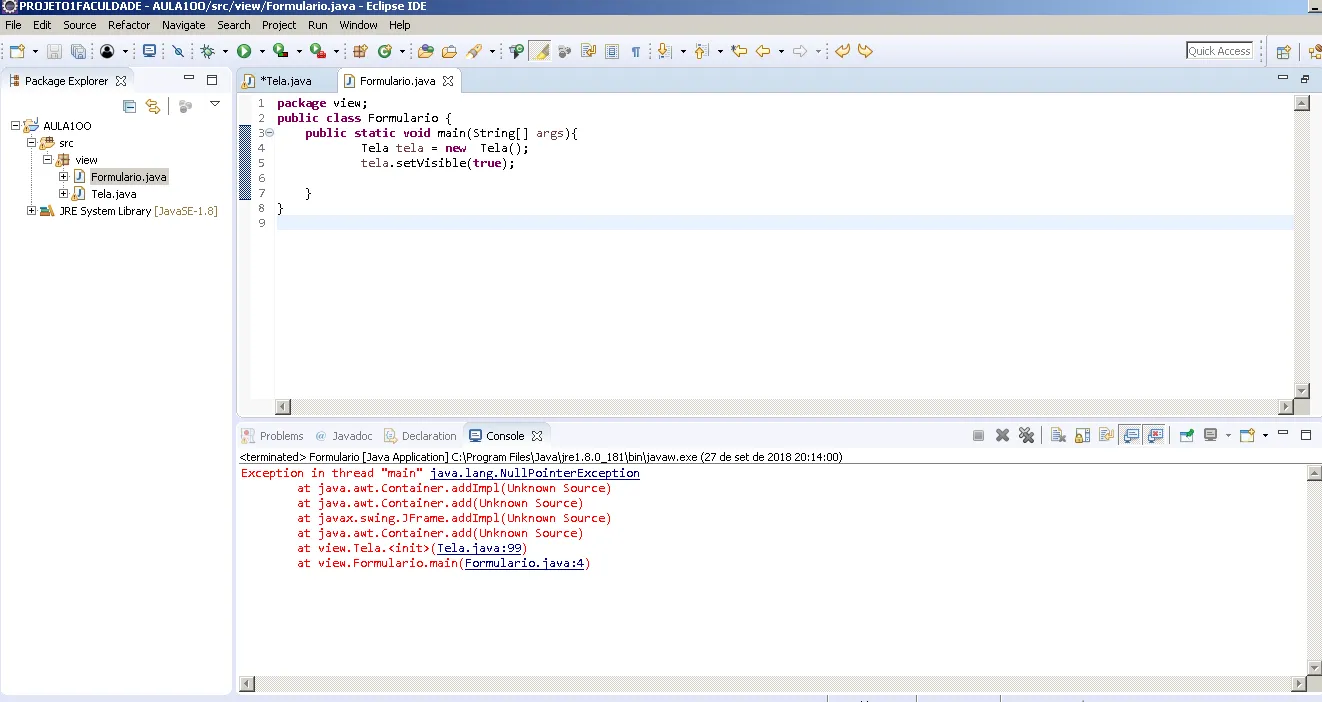
da esse erro ai